Your Ad Here
Showing posts with label t-mobile. Show all posts
0

Rooting Your G1


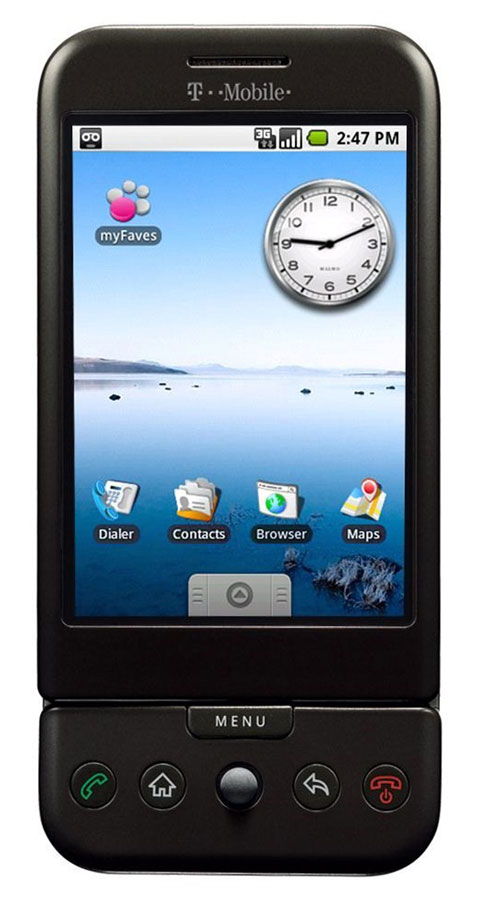
          Hello everyone, I just recently bought my first android phone, which turns out to be the G1.  Sadly, it is seen as outdated (as said by the android team themselves); however hope is not lost because thanks to people over at cyanogen, you can bring new life into your "old" phone.  Rooting an android phone is nothing new that only highly skilled computer techs know how to do, and can be done fairly quickly but there is always confusion on how to start.  Here I want to provide you with links and information that I know works.
          First off, I will give you some worthwhile reasons to root your phone.  One being that you are able to save your applications to your SD card, and I'm not just talking about backing up the .apk file (which you can also do).  You can store and use all of your apps from your SD card itself with the Apps2SD program.  With it (which is part of the cyanogen rom itself) you are able to download all of the apps you want, and keep your phone's memory free.  This feature is optional and requires more work, which I will explain later in this article.  Also, Apps2SD only stores the application itself onto your SD card, so the cache that the app uses is still mostly stored on the phone memory. The good thing is that it is a very small amount of data on your phone's memory, and is useful because your cache is quickly accessible on the phone, more so then if it were on the SD card.  Another new addition you can get by rooting is the android 2.1 eclair rom, which is faster than the 1.6 (in my opinion).  It adds two more screens (making a total of 5), new applications icons, a refreshed system look, tethering and more.
          If your mouth isn't watering  by now then I suggest you get some serious help.  For those that are interested, here are links to the latest cyanogen update guide for the T-Mobile G1:

Cyanogen Update Guide

          Now there is cyanogen 4.2, which is an updated version of android 1.6. Then there is cyanogen 5.0, and that is the 2.1 eclair rom (possibly will be updated to 2.2 in the future).  It is up to you which one you choose.  With 5.0 you have to install the "DangerSPL" which sounds pretty bad and that is because it WILL brick your phone if it is not installed correctly.  Sorry, I am not trying to scare you away from it, but I just wanted to point out that you should make sure to follow the directions carefully and correctly.  The reason you need this is because the 2.1 rom is bigger than the 64mb rom space that is originally set for the G1.  Luckily the instructions are very simple and short (I did it with no hiccups).
          Now for those of you who want to have all the apps your heart desires (like me), here are some requirements that you must fit.

  • You must have a SD card
  • The SD card must be at least class 4, but class 6 is recommended. (There should be a number on the card it self, that is how you know.)
  • Your phone must be rooted.
          Once you fit those requirements you are good to go!  Well you are at least ready to set your SD card up, for Apps2SD.  Here I will point out the link to the step-by-step guide for it:

Apps2SD
          Note: For cyanogen 5.0 (android 2.1) you need to enable Apps2SD in the settings, then restart for it to work.

          I will warn you that by doing this, you are wearing out your SD card faster than with normal use.  In other words it will die faster, so I would suggest that you backup everything constantly so that you don't lose anything.  Once you are done, all of your previously installed apps will be moved "automagically" to your SD card.
          If you follow each step carefully, you should have no problems.  Thank you for reading, and if you have any questions, please feel free to leave them in the comment box below.


0

Get Your T-Mobile Or AT&T Phone Unlock For Free


          Thinking about going on an international trip or changing GSM carriers?  Well you'll need to unlock your phone to use it with compatible carriers.  Now there are many shady sites that will supposedly give you a subsidy unlock code for your phone.  Most of them have a small fee from five to ten dollars, but I don't understand why you would trust such a site.  For all you know the company may give you a fake code, and I wouldn't want to take that chance.  What most people don't know is that their wireless carrier will give you the code for no cost.  Just as long as you have had an active line for at least 90 days and you have your phone's IMEI number.  The IMEI number is normally found on the back of your phone under the battery.  If not found there you can obtain it by typing *#06# in your phone.
          Next if you are a T-Mobile user you just call the customer service number (1-800-937-8997) and request for the subsidy unlock code.  They will normally ask if you will be using the phone internationally and you just agree (even if you aren't hehe).  And that is it, they will ask for an email address so they can send you the unlock code and you should receive it within 24 hours.  Once you have your code, the quickest way to unlock your phone is to put in a sim card from a different carrier and when it starts up it will ask for the subsidy code then.
          Now if you have an AT&T phone that you want unlocked the process is very similar.  But one thing is that they suggest you have an international roaming feature on your account, to obtain the code.  But other than that you just call their customer service (1-800-331-0500) and ask for the subsidy unlock code.  I am not experienced with their process, but here is a site where one person explains it in detail: Unlock AT&T Phone.  Now if for some reason you are not able to obtain an unlock code for your AT&T phone, I've heard that T-Mobile sometimes unlocks AT&T phones as well, I'm not sure if it is free, but it's worth a try.  
          I am a T-Mobile customer and just recently unlocked my Razr 2, and the process took around 12 minutes on the phone.  I really like this process much better than entrusting a site i've never heard of with my money and maybe even my phone number.  I suggest that you try this process before any other one.  Thanks for reading and if you have any questions or comments, please feel free to leave them.

0

Receive Email Free for Any Phone

Posted by William on 12/17/2009 in , , , , , , , , , , , , , , , , , , ,

Ever gaze at a person who is checking their email on their blackberry and think how nice that must be? If I had that I would be more efficient with my work, or would be able to communicate to more people. The only thing that is stopping you from getting email for your phone is that it's is not worth the money (that is my reason) or maybe your phone doesn't support it. Now, there is a free solution for it. The only requirements you'll need is a phone with a text messaging plan (preferably unlimited Texting plan) and an email account with email forwarding. There are many email services with free forwarding such as Gmail. As of recent Yahoo does not allow you to use email forwarding for free, so unless you want to pay $20 a year for it, I suggest you use a free email forwarding provider. Now after you have an email account with email forwarding, you need to set it to forward your emails to your phone. Your address depends on your wireless service provider, here is a list:

T-Mobile: phonenumber@tmomail.net
Virgin Mobile: phonenumber@vmobl.com
Cingular: phonenumber@cingularme.com
Sprint: phonenumber@messaging.sprintpcs.com
Verizon: phonenumber@vtext.com
Nextel: phonenumber@messaging.nextel.com


Where it says "phonenumber" you put your 10 digit phone number (including area code). And after you set your email to forward to your phone's email address your are done! The great part about this is that you can even reply to emails as well. So with an unlimited texting plan, feel free to email as much as you want, right from your phone.
Have any more questions about setting your phone up? Feel free to leave a comment and I will respond as soon as I can. I hope you enjoyed this post.

0

Need Blackberry Curve Help?

Posted by William on 7/20/2009 in , , , , , , , , , , , , ,


Hello everyone, haven't posted anything in quite sometime I know. I'm sorry about that but I'm a little more busy than I used to be, but I hope to keep this blog up a little more than I have.
Anyways, recently I was given a blackberry curve 8320 to replace my old phone and at first I was thinking that I didn't really need it, I'm not a business man. Though, after messing with it for awhile I realized that its more than just for a strict business man. Discovering the App World, made me think I was holding an Iphone. Sadly without a data plan (yes I don't have data plan with a blackberry, crazy right?) I can't access the store. On the other hand, I can still download many apps over the air and from my computer to my blackberry. While I was searching around I found that www.crackberry.com and www.blackberryforums.com were the most helpful to me. Crackberry has great helpful tips and tricks for first time blackberry users. I think it is great how the phone has shortcuts and I can set speed dial to every key! (except the function keys of course).
Now the device memory is very limited and it is a must to buy a micro sd card or else you will lose messages and your call logs. I bought an 8gb micro sdhc card from www.newegg.com for only $18. Usually I see those cards at prices near the hundreds.
Oh I almost forgot, I have encountered two problems with the phone. One that I fixed was with the camera, where I would get a black screen when i turn the camera on and had to take out the battery to get rid of. Another smaller, but annoying issue is that sometimes the phone's top speaker didn't make any sound. It comes and goes, hasn't happened to me in about a week.
That concludes my life with a blackberry, thanks for reading. If you have any questions about how I fixed my camera problem or any tips for me I'd be happy to read them.

Your Ad Here

Search For Technology

Copyright © 2009 Technological Life All rights reserved. Theme by Laptop Geek. | Bloggerized by FalconHive Supported by Blogger Templates.