
0
Rooting Your G1
Posted by William
on
6/11/2010
in
amazing,
android,
appealing,
applications,
apps2sd,
cyanogen,
easy,
fast,
g1,
helpful,
rooting,
sd card,
simple,
t-mobile
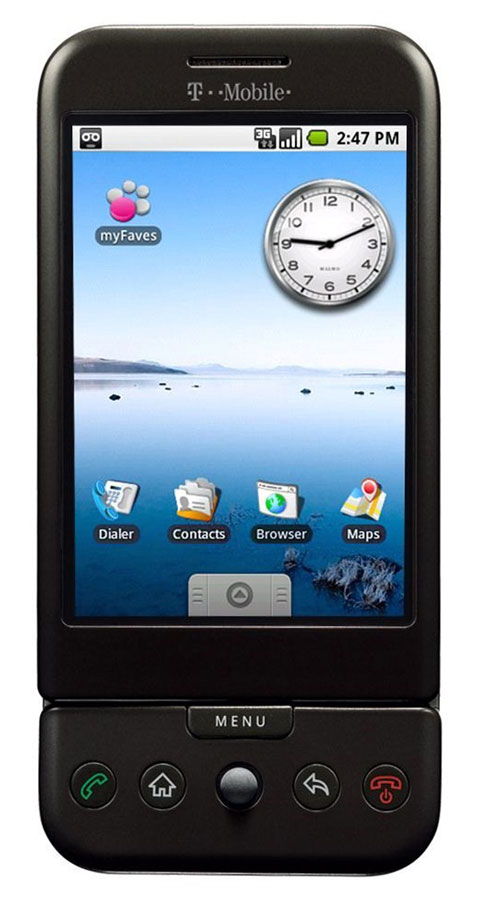
Hello everyone, I just recently bought my first android phone, which turns out to be the G1. Sadly, it is seen as outdated (as said by the android team themselves); however hope is not lost because thanks to people over at cyanogen, you can bring new life into your "old" phone. Rooting an android phone is nothing new that only highly skilled computer techs know how to do, and can be done fairly quickly but there is always confusion on how to start. Here I want to provide you with links and information that I know works.
First off, I will give you some worthwhile reasons to root your phone. One being that you are able to save your applications to your SD card, and I'm not just talking about backing up the .apk file (which you can also do). You can store and use all of your apps from your SD card itself with the Apps2SD program. With it (which is part of the cyanogen rom itself) you are able to download all of the apps you want, and keep your phone's memory free. This feature is optional and requires more work, which I will explain later in this article. Also, Apps2SD only stores the application itself onto your SD card, so the cache that the app uses is still mostly stored on the phone memory. The good thing is that it is a very small amount of data on your phone's memory, and is useful because your cache is quickly accessible on the phone, more so then if it were on the SD card. Another new addition you can get by rooting is the android 2.1 eclair rom, which is faster than the 1.6 (in my opinion). It adds two more screens (making a total of 5), new applications icons, a refreshed system look, tethering and more.
If your mouth isn't watering by now then I suggest you get some serious help. For those that are interested, here are links to the latest cyanogen update guide for the T-Mobile G1:
Cyanogen Update Guide
Now there is cyanogen 4.2, which is an updated version of android 1.6. Then there is cyanogen 5.0, and that is the 2.1 eclair rom (possibly will be updated to 2.2 in the future). It is up to you which one you choose. With 5.0 you have to install the "DangerSPL" which sounds pretty bad and that is because it WILL brick your phone if it is not installed correctly. Sorry, I am not trying to scare you away from it, but I just wanted to point out that you should make sure to follow the directions carefully and correctly. The reason you need this is because the 2.1 rom is bigger than the 64mb rom space that is originally set for the G1. Luckily the instructions are very simple and short (I did it with no hiccups).
Now for those of you who want to have all the apps your heart desires (like me), here are some requirements that you must fit.
- You must have a SD card
- The SD card must be at least class 4, but class 6 is recommended. (There should be a number on the card it self, that is how you know.)
- Your phone must be rooted.
Apps2SD
Note: For cyanogen 5.0 (android 2.1) you need to enable Apps2SD in the settings, then restart for it to work.
I will warn you that by doing this, you are wearing out your SD card faster than with normal use. In other words it will die faster, so I would suggest that you backup everything constantly so that you don't lose anything. Once you are done, all of your previously installed apps will be moved "automagically" to your SD card.
If you follow each step carefully, you should have no problems. Thank you for reading, and if you have any questions, please feel free to leave them in the comment box below.


 Posts
Posts


